




About this item
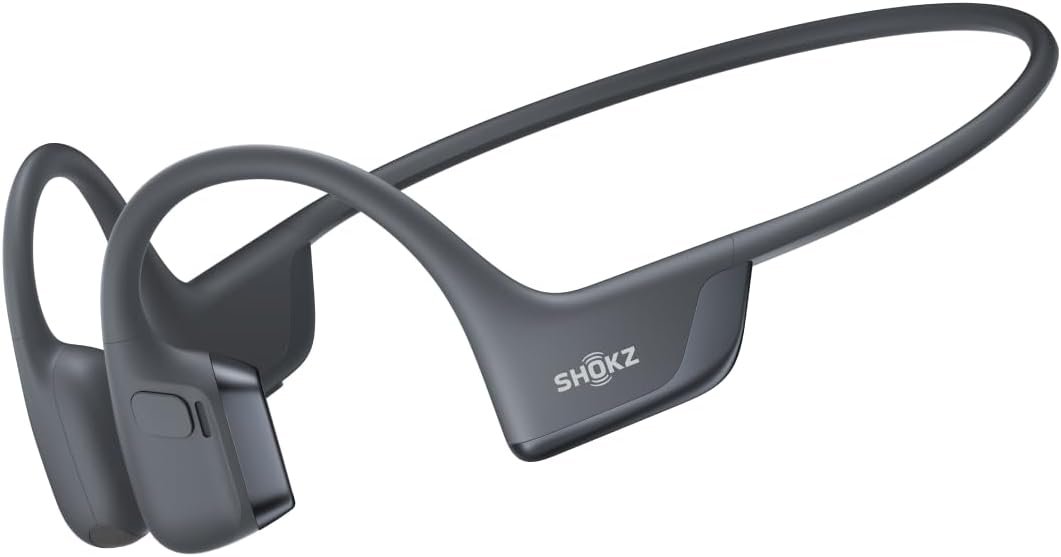
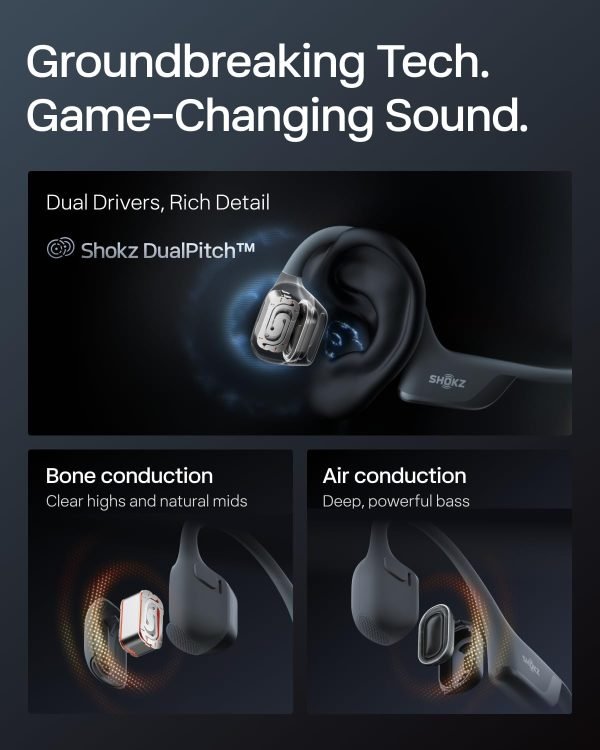
Unparalleled Audio – Dual drivers combine the clear highs of Bone Conduction Tech with the deep bass of Air Conduction Tech for 12 hours of powerful, 3D audio.
Open-Ear Awareness – SHOKZ’s signature open-ear design helps you power through your workouts while keeping you safely aware of your surroundings. Leak-free listening ensures your audio remains for your ears only
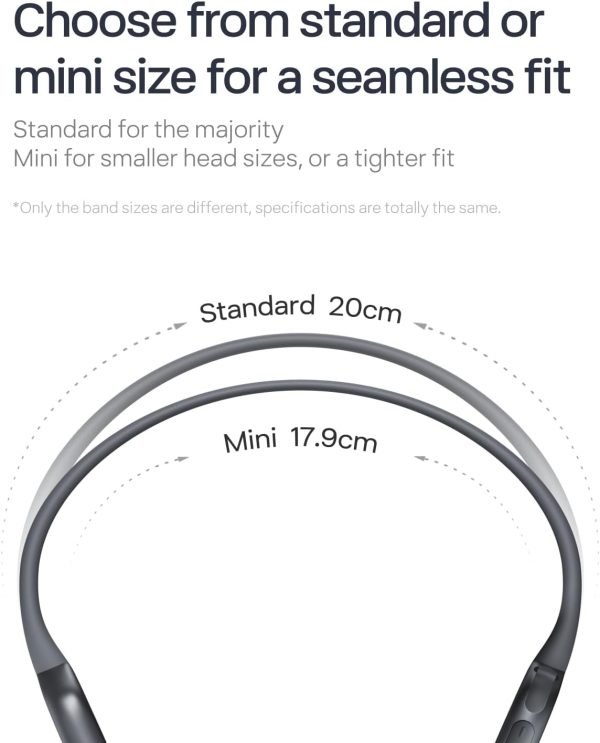
Secure and Stable Fit – The weight-optimized design of this unibody frame with ergonomic ear hooks integrates a Ni-Ti alloy memory wire to provide a secure, comfortable fit that defies slips and shifts
Dedicated EQ Modes – Customize your audio experience with our dedicated EQ modes on the Shokz App. Enjoy pure bone conduction sound with the newly launched Classic Mode, or boost your audio in noisy environments with Volume Boost Mode.
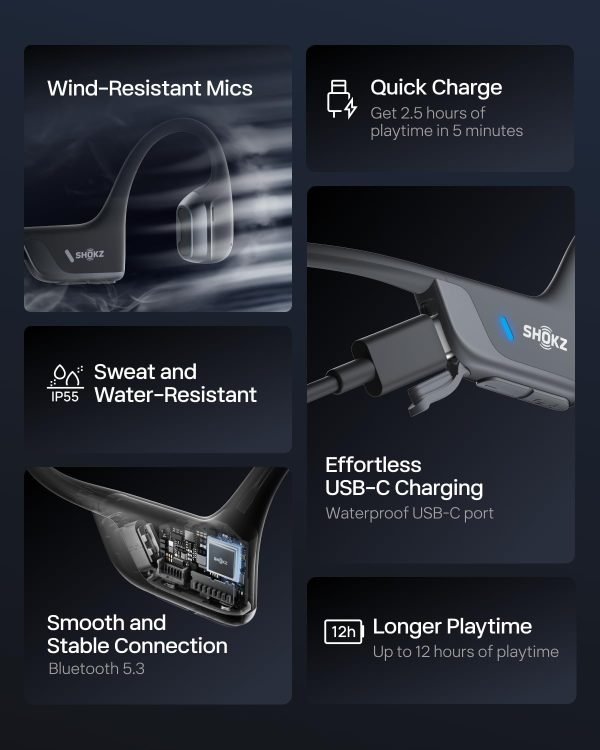
Crystal-Clear Calls – Strategically positioned dual wind-resistant microphones and an AI noise reduction algorithm filter out 96.5% of background noise, including wind at speeds of up to 15 miles per hour.
From the brand
Product Description
How can I increase the volume on my OpenRun Pro 2?
iPhone: Disable Reduce Loud Audio: Settings>Sounds & Haptics>Headphone Safety. Samsung: Disable Media Volume Limit: Settings>Sounds & Vibration>Volume>More. Android: Bluetooth Settings>Enable Absolute Volume. Or enable the App’s Volume Boost EQ Mode.
How do I switch EQ modes on OpenRun Pro 2?
You can switch EQ modes via the Shokz App or manually by pressing and holding both the Power/Volume + and Volume – buttons while music is playing until you hear a beep.
How do I pair OpenRun Pro 2 with multiple devices?
Start with the headphones off. Hold Volume + until the LED flashes red and blue, then press Multifunction + Volume + for pairing. Connect the first device, turn off the headphones, repeat for the second device, then power on to auto-connect both.
What should I do if OpenRun Pro 2 gets wet from rain or sweat?
If OpenRun Pro 2 gets wet from rain or sweat, gently shake off excess moisture from different angles, wipe the speaker mesh with a dry cloth or tissue, and let it air-dry in a ventilated area for a few hours to ensure optimal performance.
How to set Bone Conduction Only Mode?
Download the latest Shokz app and switch to ‘Classic’ EQ mode, which optimizes the bone conduction experience. If you can’t find it, ensure your ‘sales region’ is set to the United States or Canada.
What’s in the box
Openrun Pro2 Wireless Stereo Bone Conduction Headphones
Cable
Hard Shell Carrying Case
Silver Glowing Stickers
User Manual
Product information
Sensitivity
98 dB
Model Name
OpenRun Pro2
Connectivity Technology
Wireless
Wireless Communication Technology
Bluetooth
Included Components
Cable, User Manual, Openrun Pro2 Wireless Stereo Bone Conduction Headphones, Silver Glowing Stickers, Hard Shell Carrying Case
Age Range (Description)
Adult
Material
Nickel-Titanium Alloy, Silicone, Plastic
Specific Uses For Product
Travel, Professional, Fitness
Charging Time
1 Hours
Recommended Uses For Product
Cycling, Motorcycling, Running, Exercising, Gaming
Compatible Devices
iPhone, PC, Watch, Mac, Android
Theme
Sports
Control Type
Volume Control
Cable Feature
Without Cable
Item Weight
30.3 Grams
Water Resistance Level
Water Resistant
Frequency Range
20 Hz – 20,000 Hz
Customer Package Type
Standard Packaging
Style
Modern
Control Method
Remote
Number of Items
1
Controller Type
Button
Battery Life
12 Hours
Audio Driver Type
Bone Conduction Driver
Bluetooth Range
33 Feet
Bluetooth Version
5.3
Earpiece Shape
Open_ear
Is Autographed
No
Series Number
8
UPC
810092678946
Manufacturer
SHOKZ (SINGAPORE) PTE. LTD.
Product Dimensions
4.88 x 1.78 x 3.94 inches
Item Weight
1.07 ounces
ASIN
B0D2HKCMBP
Item model number
SHOKZ S820

![[Today Only Free Shipping]YEAHBOX Portable Speaker with Stereo Wireless, IPX7 Waterproof Speaker with 4-in 1 BT/Aux/TF-Card/U Disk Input, Wireless Speaker for...](https://takealoti.com/wp-content/uploads/2026/01/today-only-free-shipping-yeahbox-portable-speaker-with-stereo-wireless-ipx7-1-300x300.webp)
Reviews
There are no reviews yet.